


There is no shortage of generative AI tools promising to fix our photos in post – but Adobe’s Nextcam team is pushing in a far more provocative direction – bringing AI directly into the camera shooting workflow.
Adobe's Project Indigo is an experimental, free mobile camera app designed to bridge the gap between heavy computational smartphone photography and traditional digital camera workflows.
As for now, it only runs on iOS and iPadOS (specifically iPhones and M-series iPads). It's mobile only and does not work on desktop computers (Mac or Windows) nor Android devices.
The app is designed for computational RAW capture and natural, 'photo-realistic' rendering, with what Adobe calls their newly announced experimental 'AI Playground'. To put it another way, the concept is to move generative editing out of desktop software and onto your phone screen while you are still standing in front of your subject.

Since Indigo is an experimental app, and AI Playground is an experiment inside Indigo, Adobe is offering the AI Playground for free, with no sign-on required. However, this level of free access will be available only to a few percent of users, and only for a few weeks.
While the overall app looks like a lot of fun for melding photography with artwork using AI imagery, as well giving your phone 'professional camera controls', one of the most interesting features is using AI to give novice photographers real-time feedback on their photos.
'Photo Guidance' – your AI photography instructor
Forget the usual suite of filters, presets, or distractor removal tools. The real game-changer is Photo Critique – a feature tucked inside Photo Guidance that literally promises to "get professional feedback on your shot."
Tap a button, and the app’s underlying language model delivers an instant critique of your framing, lighting, and composition. More importantly, it offers actionable advice on how to reshoot the scene on the spot. It is effectively a digital photographic teacher instructing you how to improve your shot in real time.
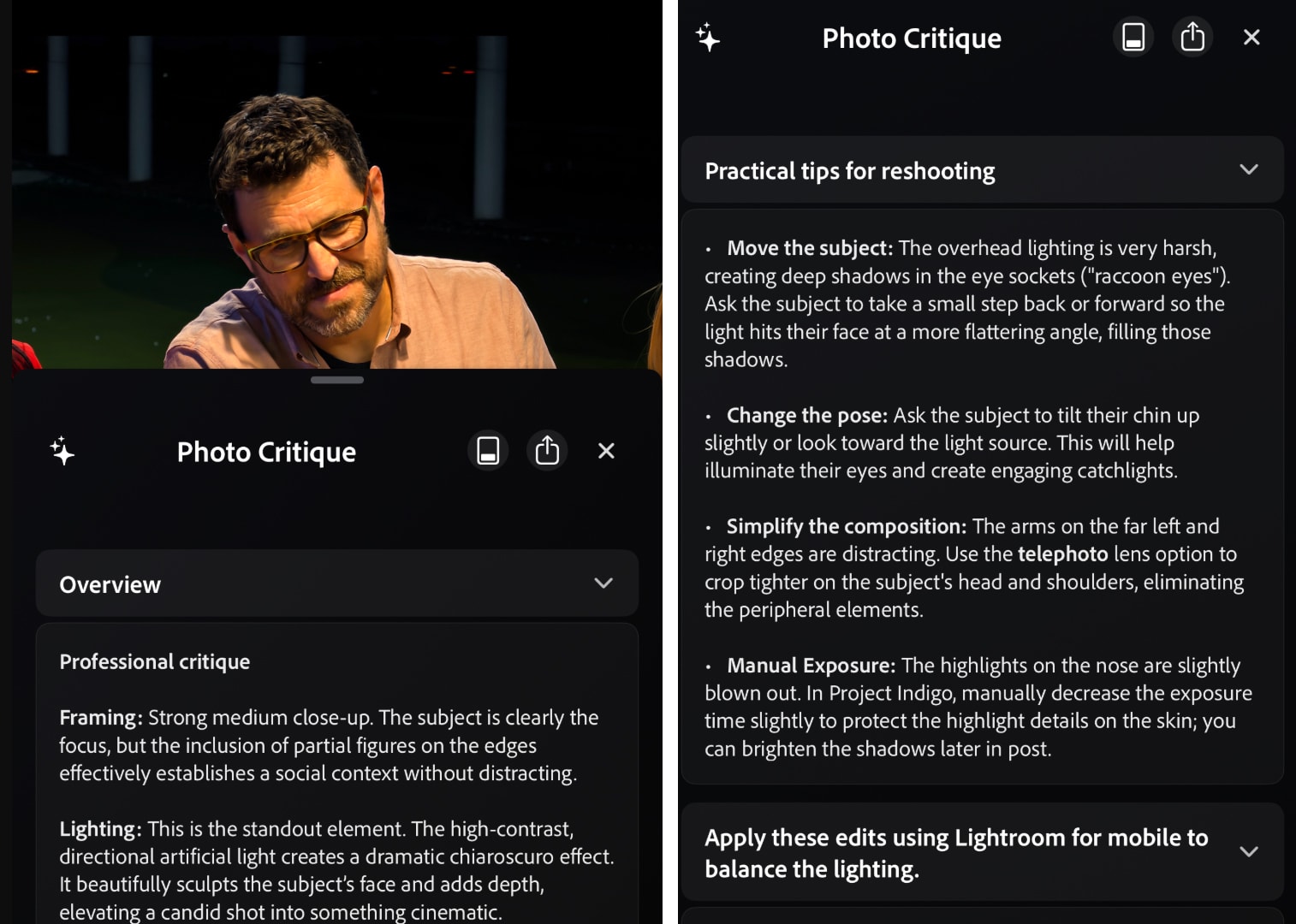
A second button produces suggestions for reshooting, as well as suggestions for editing afterwards. Image: Adobe
Of late, we have had the option for post production AI software to assist us on culling our images. But the shortfall is that AI, as for now, can't seem to tell us 'what is a cool photo'. If you take a burst of seven images in say a street photography image, AI can tell us if an image is out of focus, or if someone is blinking – but it finds it hard to tell us which of the seven photos has that 'something that makes the photo intriguing'.
It will be interesting to find out how 'Photo Guidance' will work in the real world – can it tell us how to take an impressive photo – or just how to follow a recipe for image taking.
Do photographers even want this? Is AI shooting 'cheating'?
So Project Indigo tries to do so many photographic things. It even includes a machine-learning model that maps AI-edited results back to the original file's native HDR luminance data. So for example – you can change the time of day from blue morning light to afternoon golden hour.
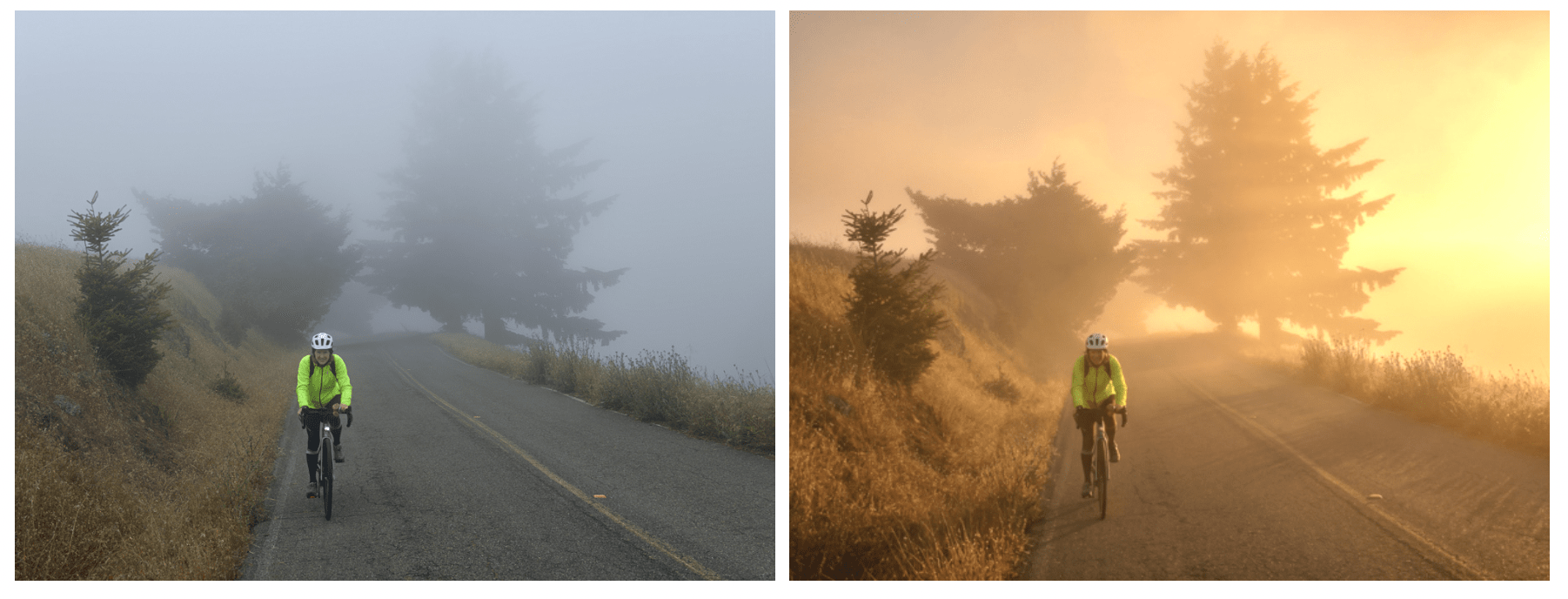
Naturally, this raises valid questions for purists. There is also the broader conversation surrounding ethics and image integrity. Adobe is tagging these renders with C2PA metadata and invisible watermarking, but as always, the line between a helpful photographic aid and an outright deception comes down to creator intent. Photography competition judges beware!
Whether this fundamentally alters mobile image-making, or simply adds another layer to our creative toolkits, it signals a clear shift: the capture phase and the post-processing phase are rapidly collapsing into one.
It’s well documented across social media that most photographers strongly dislike – if not outright despise – AI photography.
The consensus is that it lowers the bar and spoils our craft by extinguishing the excitement of hard-earned creation, it virtually hamstrings 'the chase' for a great image, and dissipates the desire for self-improvement as a photographer. Perhaps the flood of AI integration into photographers lives, as well as the 'always staring at a digital screen lifestyle' – is what is actually fuelling the current resurgence in analog film. We want some semblance of 'real' back in our lives.
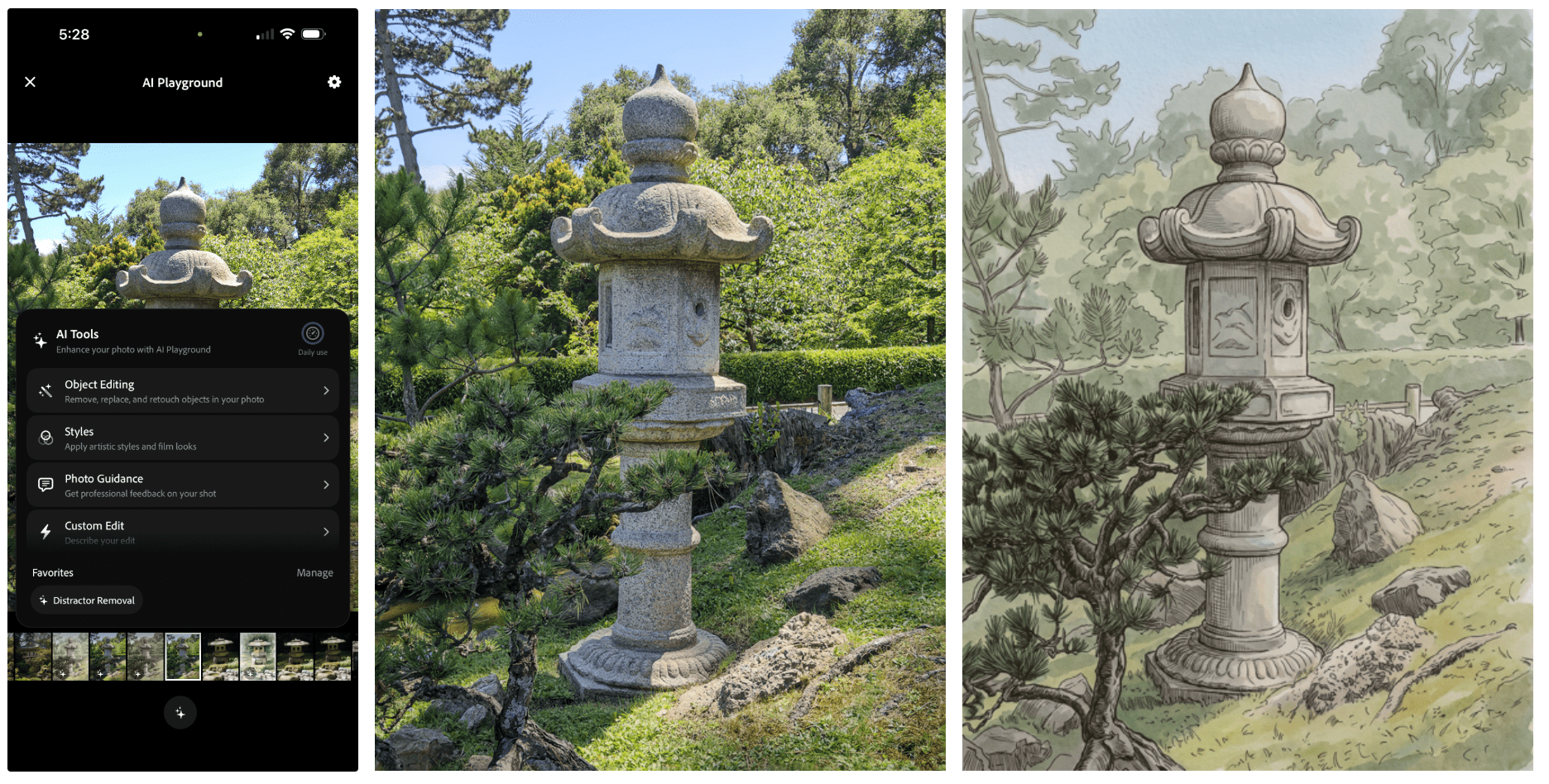
Will 'AI shooting' be available directly in our cameras in the future?
Adobe isn't a camera manufacturer – nor could we imagine them becoming one. We doubt camera companies will ever bake this kind of generative software directly into their hardware – doing so would spark far too much backlash from their core audience.
However, there are rumours that the next iPhone will actually have larger lenses, with real aperture control. This is where an app like Project Indigo could appeal to a huge audience – where phones are becoming more camera centric.
All being said, being a great photographer takes a lot of practice, and an app like this with Photo Guidance will no doubt flatten the learning curve a little for beginners.
We can't imagine someone shooting a wedding, and asking everyone to hold for a sec while they read the Photo Critique on how to reshoot / make the photo better. In a fast paced shoot, you need to have all your technical know-how, along with your artistic slant, all running in real-time.
And no doubt, as incredible as this product is, it will come at a cost. Once Project Indigo exits the Adobe Labs phase, Adobe is expected to either lock premium computational features behind a paid tier, or integrate the technology directly into paid Creative Cloud offerings (such as the Lightroom Mobile subscription).
You can find out more about Project Indigo on the Adobe website.