

Review: Gigabyte GO27Q24G 27" OLED Monitor
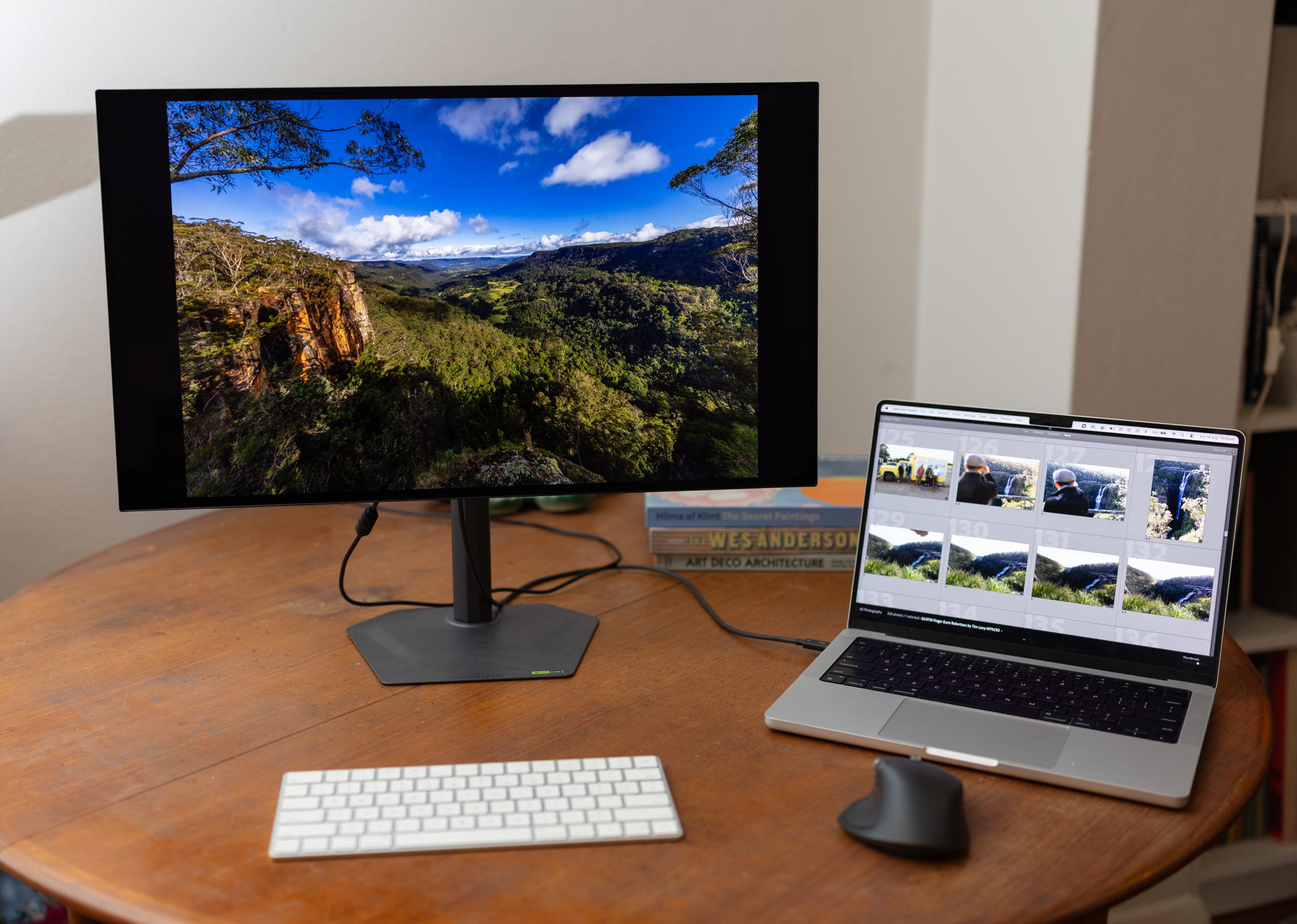
OLED technology has well and truly established its dominance in high-end display design. For visual content creators, the draw of self-lit pixels – offering infinite contrast ratios, pitch-perfect absolute blacks, and zero backlight bleed – is undeniable. Yet, for many photographers, videographers, and retouchers, the entry price for professional-tier 4K OLED reference monitors remains significantly high.
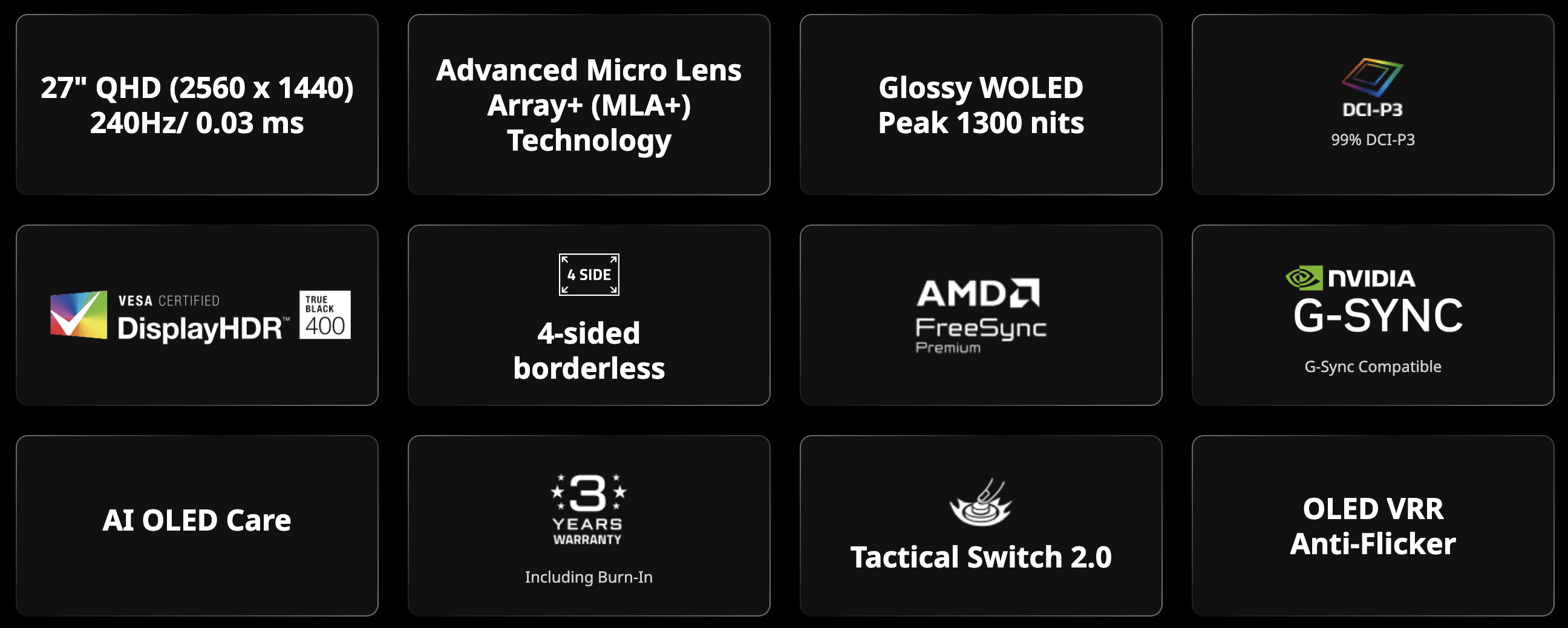
Enter the Gigabyte GO27Q24G. Formally positioned as a high-performance 27-inch QHD (2560 × 1440) gaming display, this model packs a 240Hz 10bit WOLED panel with Micro Lens Array Plus (MLA+) technology, a semi-gloss optical finish, contrast ratio of reportedly 1.5M:1, a response time of 0.03ms, and a very modest price tag.
On paper, it presents a compelling case for photographers seeking deep contrast and rich colour response without breaking the bank. But when evaluated through the lens of a critical photographic workflow, does this glossy contender deliver the precision required for daily photo editing? Or is this the ultimate second screen that doubles as a gaming monitor?
So why do you want high refresh rates anyway?
A 240 Hz refresh rate drastically enhances competitive gaming by refreshing the on-screen image 240 times per second – rendering a fresh frame every 4.17 milliseconds compared to the 16.67 milliseconds of a standard 60 Hz display.
As we know in the photography industry, there is a big difference between 1/500, 1/50 and 1/5 of a second. And the same applies in the world of video games.
This ultra-high frequency significantly reduces input latency and virtually eliminates motion blur, producing exceptionally fluid motion tracking that allows your eyes and reflexes to process real-time information with minimal delay.
In fast-paced first-person shooters, wether it is online or single player, the practical benefit is immediate: when an opponent rapidly 'peeks' around a corner or dashes across your field of view, a 240 Hz panel displays their movement in smooth, granular micro-increments rather than jittery, blurred steps.
This crystal-clear visual feedback makes tracking moving targets much easier, allowing you to micro-adjust your crosshair and register shots with pinpoint precision before the enemy can react. It can mean the difference between being a good player and a great player.
Panel technology & colour performance
At the core of the GO27Q24G is a 26.5-inch viewable WOLED panel utilising LG’s Micro Lens Array Plus (MLA+) structure. By placing microscopic lenses over the organic light-emitting layer, MLA+ redirects light that would otherwise be lost internally, boosting overall optical efficiency. This enables a typical full-screen SDR brightness of 275 cd/m² and peak HDR highlight bursts of up to 1,300 nits in small window areas.
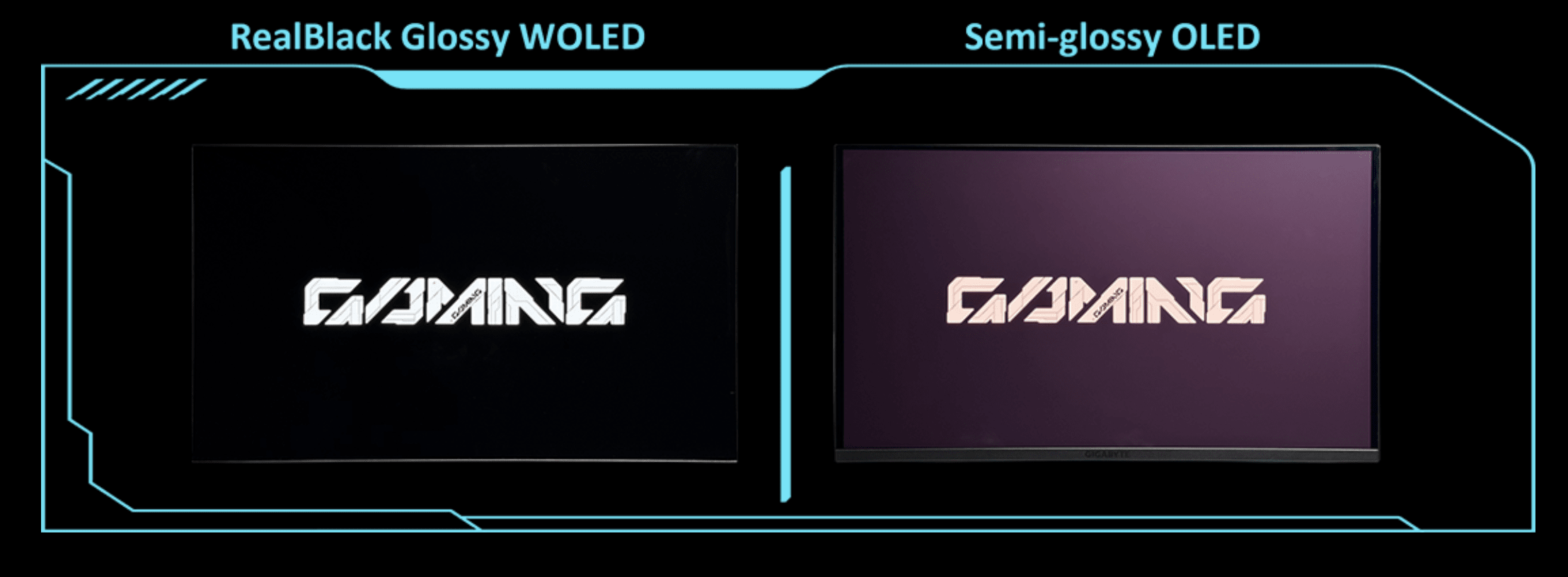
The latest RealBlack Glossy WOLED panel addresses one of the biggest drawbacks of glossy glass: ambient wash. Thanks to a zero-haze optical stack, shadows stay inky and blacks remain true rather than milky under room lights. Add an efficient anti-reflective coating to keep glare in check, and you get an ultra-clean image that makes colours pop.
For creative work, colour delivery is where the panel shows initial strength. The GO27Q24G boasts 10-bit colour depth (1.07 billion colours) and covers 99 per cent of the DCI-P3 wide colour gamut. Out-of-the-box factory calibration delivers remarkably stable EOTF tracking in HDR mode, ensuring shadow details transition smoothly out of deep blacks rather than crushing abruptly into darkness.
Build, Ergonomics & Connectivity
Visually, the GO27Q24G departs from standard gaming tropes in favour of a clean, understated aesthetic that feels at home in a studio environment. Featuring a four-sided borderless bezel, the panel appears almost seamless, making it an excellent candidate for multi-monitor desktop setups.
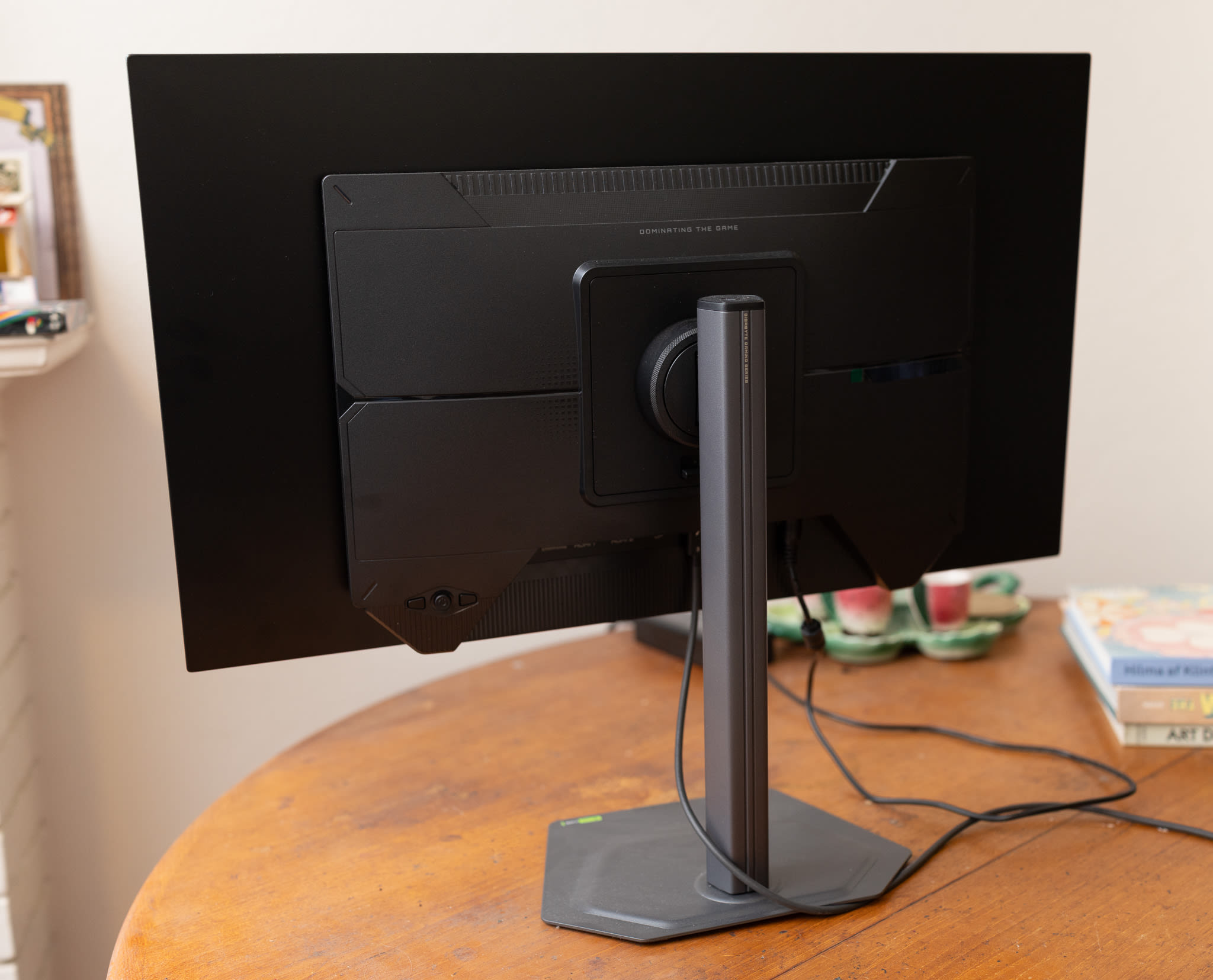
The display rests on a sturdy metal stand with a very slim 2mm base plate that occupies minimal desk space. Ergonomic adjustment is thorough, offering 130mm of height adjustment, tilt (-5° to +21°), swivel (±15°), and a full 90-degree clockwise pivot into portrait mode – a feature appreciated by portrait photographers and video editors working on vertical social framing.
Overall, the monitor feels sturdy, but lightweight at only 5.6kg including stand.
Connectivity is practical, if somewhat streamlined:
-
2× HDMI 2.1 ports
-
1× DisplayPort 1.4 (HBR3)
-
1× USB-C port (supporting DisplayPort Alt Mode)
-
1× 3.5mm headphone output
However, from a workstation integration standpoint via a laptop, one thing to note is that the USB-C port provides only 15W of power delivery, with dynamic bursts up to 18W in certain conditions. It will definitely keep your laptop charged, though if you are to do long post production or gaming sessions, you might want to keep your laptop also plugged into mains via the standard charging cable.
Practical considerations for creative workflows
While the GO27Q24G delivers sharp, colourful images that can look marvellous in post production software, and fast 240 Hz motion clarity, potential buyers should weigh a workflow-specific limitation – pixel density.
With a resolution of 2560 × 1440 spread across a 27-inch diagonal, the display provides a pixel density of roughly 111 pixels per inch (ppi). While suitable for general editing, and watching from 'normal' distances, it lacks the high ppi of the Apple Studio Display which comes in at 218ppi – aka retina display.
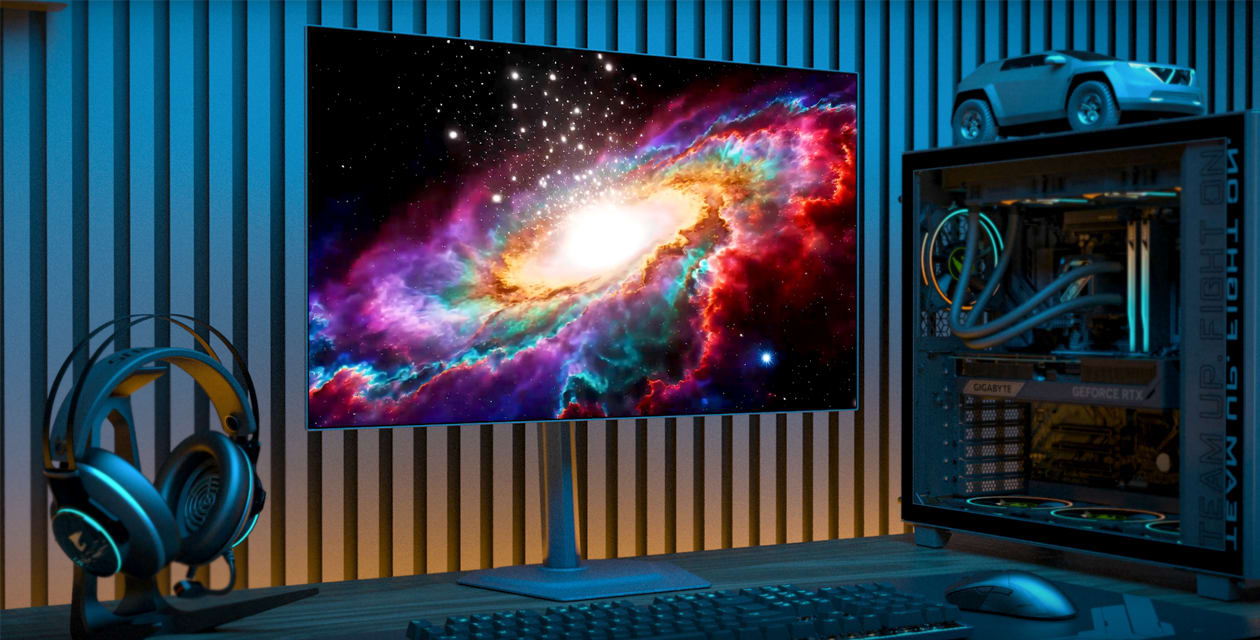
The verdict
The Gigabyte GO27Q24G is an impressive technical achievement that highlights just how rapidly high-end OLED panel technology is becoming 'normalised'.
Its semi-glossy WOLED panel, MLA+ brightness boost, deep inky blacks, and fluid 240Hz refresh rate make both motion playback and content consumption look undeniably rich. For hybrid creators who split their time between high-speed gaming and photography or video post-production, it delivers exceptional value at just $569.
However, context is key. For dedicated photographic retouchers, fine-art printers, or colourists requiring strict workflow controls, higher 4K/5K pixel density (over 180 ppi), and robust multi-watt laptop docking capabilities, dedicated professional reference displays remain the superior choice – but you will pay more than twice, or even four times the price for this.
Comparing the $569 Gigabyte GO27Q24G to something like the 5K, 218 ppi Apple Studio Display ($2,599) misses the point. While it lacks the ultra-fine pixel density of high-end studio monitors, the Gigabyte is vastly faster in terms of refresh rate, significantly cheaper, has noticeably deeper blacks than an IPS screen, and is far better suited to gaming.
If you already have a colour-critical reference monitor for primary post-production, the GO27Q24G makes a brilliant, cost-effective secondary screen for communications and media playback during the day, before switching gears into a blazing-fast gaming display after hours.
Another strong contender in this hybrid bracket is the Gigabyte M27UP ($800), a 27-inch 4K UHD display that offers impressive versatility for creators who take their gaming seriously. For photographic work, the 3840 x 2160 resolution on a 27-inch panel delivers razor-sharp pixel density that makes for better fine-detail retouching.
You can find out more about the Gigabyte GO27Q24G on the Gigabyte website.