


The market currently offers quite a few 27-inch 4K monitors that serve as reasonable alternatives to what many consider the benchmark for Mac users – the Apple Studio Display (ASD). With a street price of $1,499, the ASUS ProArt PA279CDV comes in at over $1,100 cheaper than Apple's current offering, representing a considerable saving.
This means you could buy two of these monitors for the price of an ASD with the nano-textured glass, or two-and-a half of the monitors with the addition of the ASD's adjustable stand ($3,799).
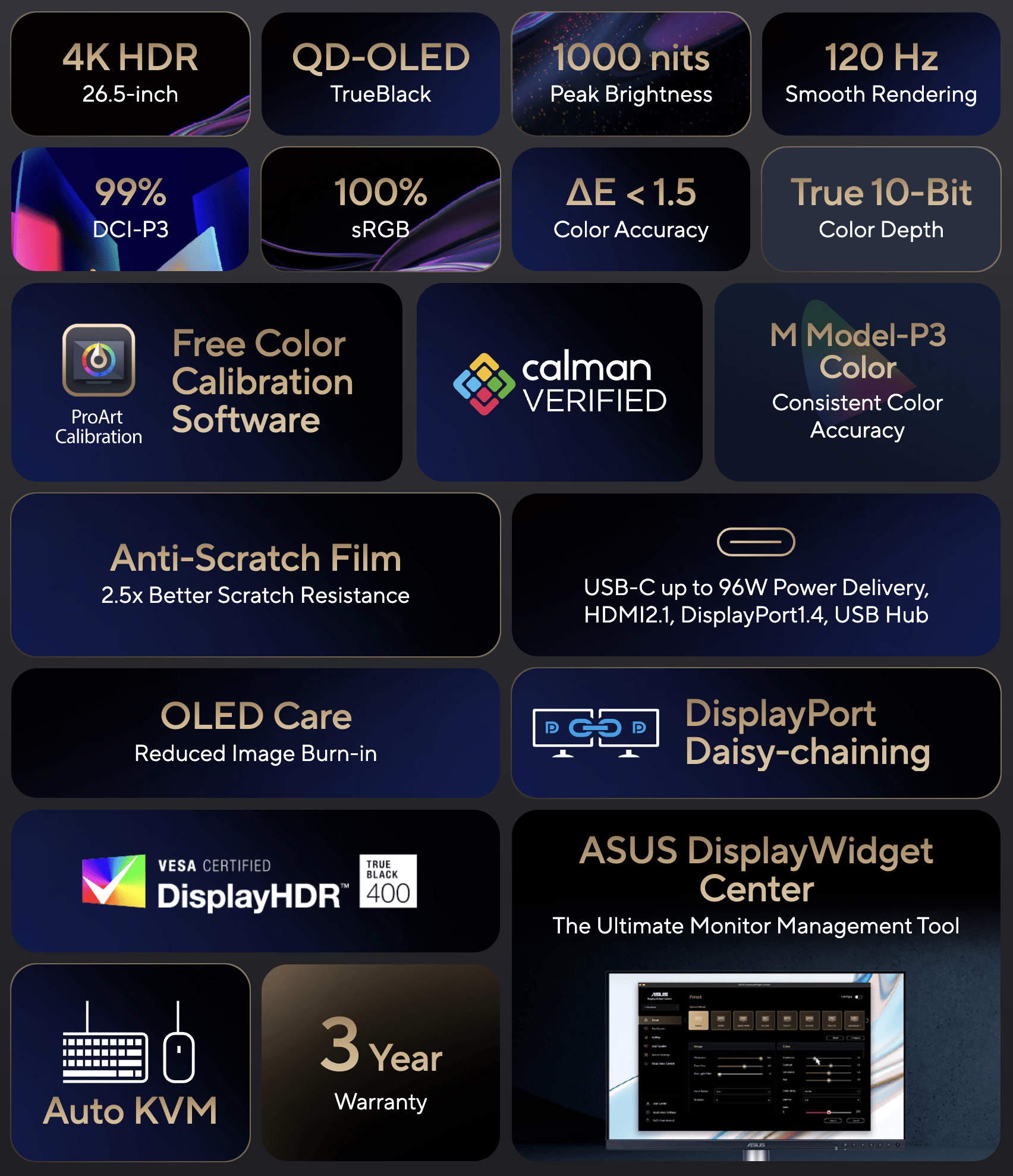
But wait - there's more! The ProArt delivers a host of superior specifications, including: a 120Hz refresh rate; 0.1ms response time (meaning it can double as a gaming monitor); true 10-bit colour depth; absolute QD-OLED contrast; a Mac compatible P3 colour gamut and an adjustable stand that includes vertical orientation.
While Windows users already have more than a half-dozen high-PPI options to choose from, the PA279CDV stands out as a highly compelling 26.5-inch 4K QD-OLED display designed explicitly for professional visual workflows.
So, does it live up to the spec sheet? We took this monitor for a test drive over a few weeks to see how it handles day to day use
Display quality, PPI and text clarity
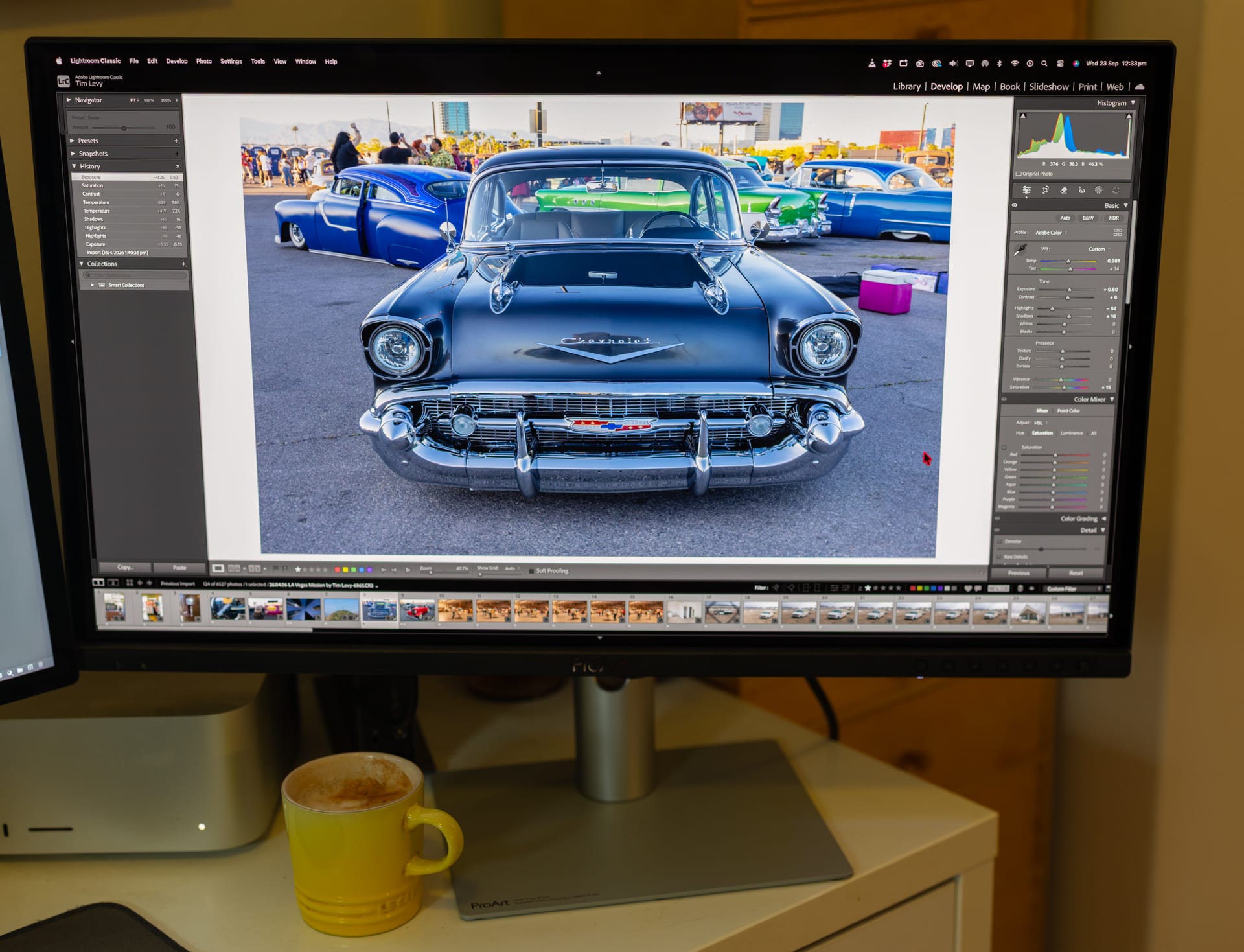
Sitting at a 4K UHD resolution (3840 x 2160) on a 26.5-inch panel yields a pixel density of 166 PPI. At first, I thought, 'Only 166 PPI?' but I was pleasantly surprised. Even when trying to pixel-peep, text and icons looked incredibly detailed and sharp – a common trade-off when balancing pixel density with a high refresh rate. Whether reviewing tiny IPTC metadata, appreciating a clean font, or admiring the smooth gradient from yellow to dark blue in a sunset photograph, all the imagery looks excellent.
My ultimate benchmark for viewing films on any monitor is running the film Blade Runner 2049 in 4K, as it features predominantly low-key imagery punctuated by bright, highly saturated pops of colour. The ProArt absolutely doesn't disappoint, and the footage looked phenomenal. In fact, when running the exact same film on my adjacent Apple Studio Display for a side-by-side comparison, I can confidently say that the ProArt looks superior.
The PA279CDV delivers 99% DCI-P3 coverage, true 10-bit colour depth, and a factory calibration of Delta E < 1.5. Crucially, ASUS uses an Anti-Glare, Low-Reflection (AGLR) coating that gives the display a smooth paper-like finish.
This helps minimise distracting reflections without washing out the deep blacks characteristic of QD-OLED technology. On comparing it to the reflection off a smart phone, the monitor seems to mute reflected light by at least 2/3rds of a stop.
Design, setup, ports and AV peripherals
Unboxing and setting up the monitor is refreshingly straightforward. The display is fairly lightweight, coming in at just 5.6 kg with the ergonomic stand attached, and a very lightweight 3.6 kg without it. This low weight would make it effortless to mount on a VESA arm or move around a studio environment.
Connectivity is robust and designed to minimise cable clutter. The rear panel features an HDMI 2.1 port, two DisplayPort 1.4 connections with daisy-chaining support, an earphone jack, and a built-in USB hub featuring three USB-A ports and one USB-C port.
The standout connectivity feature is the primary USB-C port, which supports DisplayPort Alt Mode and provides 96W of Power Delivery. This is perfect for driving the display and keeping a heavy-duty laptop charged via a single cable.
While you can cheer the mid-price of this monitor compared to expensive ones, it does lack a webcam and microphone, while the 2X 2W speakers are nothing of note. We'd recommend using a dedicated external headset or speaker system instead.
Mac Compatibility and Software Control
Mac compatibility has been integrated into the monitor's DNA. It includes a specific 'M Model P3' colour preset designed specifically to synchronise the ProArt's colours with Apple displays. Furthermore, the 120Hz refresh rate matches seamlessly with Apple ProMotion technology for incredibly smooth video rendering in Final Cut Pro or general scrolling.
While physical control buttons and a joystick are present for navigating the on-screen display, you can alternatively use the ASUS DisplayWidget Centre software for macOS. This allows you to use the native brightness keys on an Apple keyboard to adjust the monitor directly, creating a frictionless ecosystem extension for Mac setup.
The monitor also features a built-in Auto KVM switch, making it effortless to run both desktop and laptop machines through the same display and peripheral set.
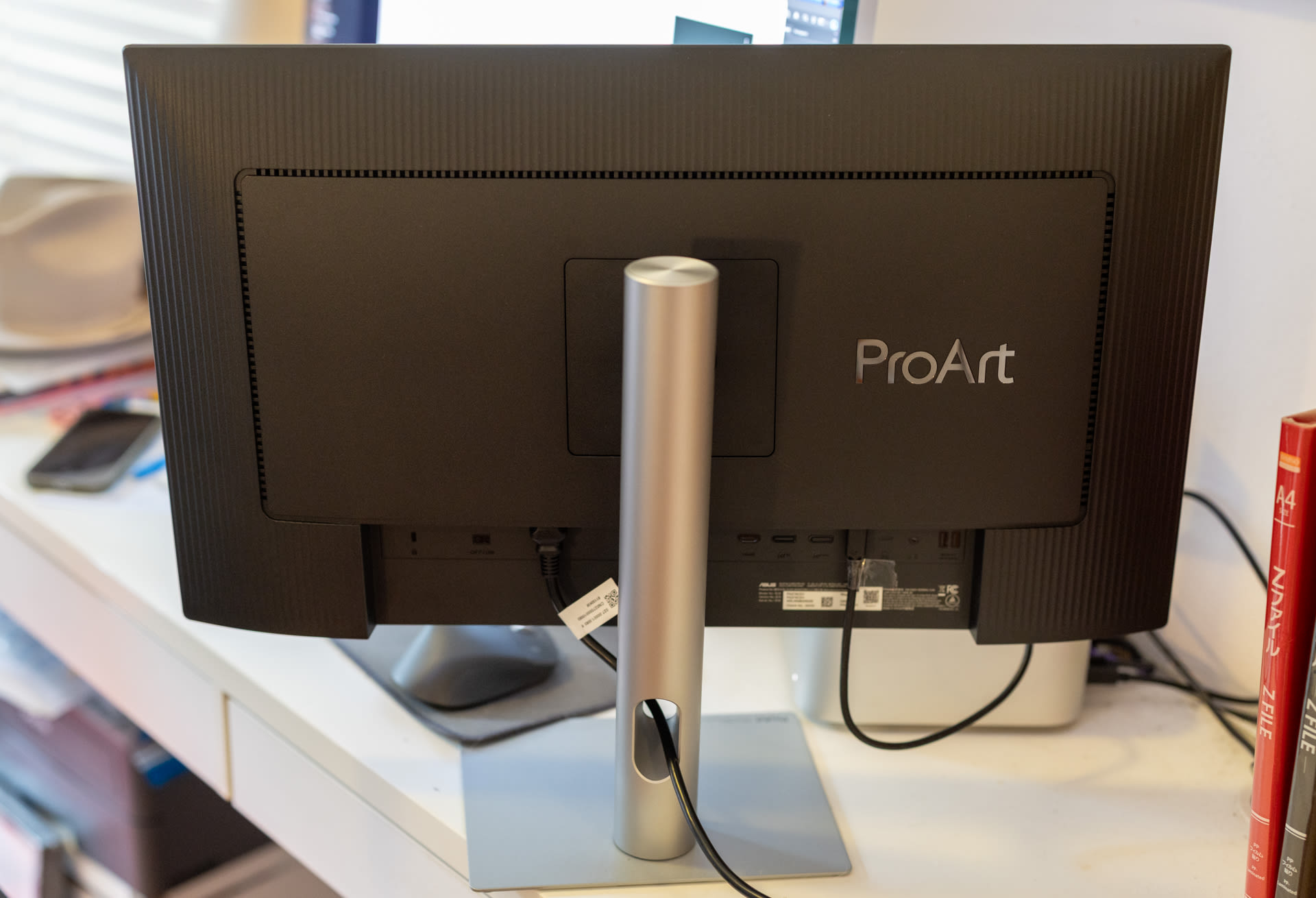
Vertical orientation is very easy – just grab and edge and slowly spin it. Image: Tim Levy
The roundup
Those initial 'only 166PPI' fears are completely quelled. Ultimately, the ASUS ProArt PA279CDV represents a very sweet spot in offering top-tier colour grading capabilities, high refresh rates, excellent text clarity, and very functional Apple integration – all at a reasonable price. Buying two of these monitors for $3,000 is money well spent – just note that there are no decent speakers or web-cam functionality.
While not really a real 'rating' - one of my personal benchmarks is: will I miss this review model? At the top end of my 'can I please keep this review monitor' is the incredible $12,999 ASUS ProArt PA32KCX 32" 8K display. This monitor, nor any monitor comes close to that, though you always only get what you pay for.
I WOULD like to keep this monitor and I'll miss it for it's surprisingly good looking text, it's colour gamut and how it makes films look great. Editing images on it - photographs look excellent with smooth gradations between opposing colour fields such as sunsets.
Of course, some users may already have an Apple Studio Display and the ProArt could make a more-than-worthy second monitor and still leave enough money to go towards other gear.
The ASUS ProArt PA279CDV is currently retailing for $1,499. You can find out more on the Asus website.