


Adobe has undeniably built some of the most powerful – if not the absolute best – tools for the digital creative industry. Yet, for well over a decade, professionals have maintained an uneasy truce with the software giant.
In 2013, Adobe discontinued perpetual boxed licences and transitioned Photoshop, Lightroom, and its wider software suite to the Creative Cloud subscription model – a highly successful commercial strategy that nonetheless frustrated many users.
This brilliant business move saw Adobe's annual net income increase from approximately US$833 million in 2011 under the single-purchase perpetual license model to US$7.13 billion in fiscal year 2025 under the Creative Cloud subscription model. This represents an approximately 8.5x increase in profit driven by a massive expansion in predictable, recurring revenue.
Fast forward to today, and the Creative Cloud walled garden is facing an unprecedented, almost surreal challenge.
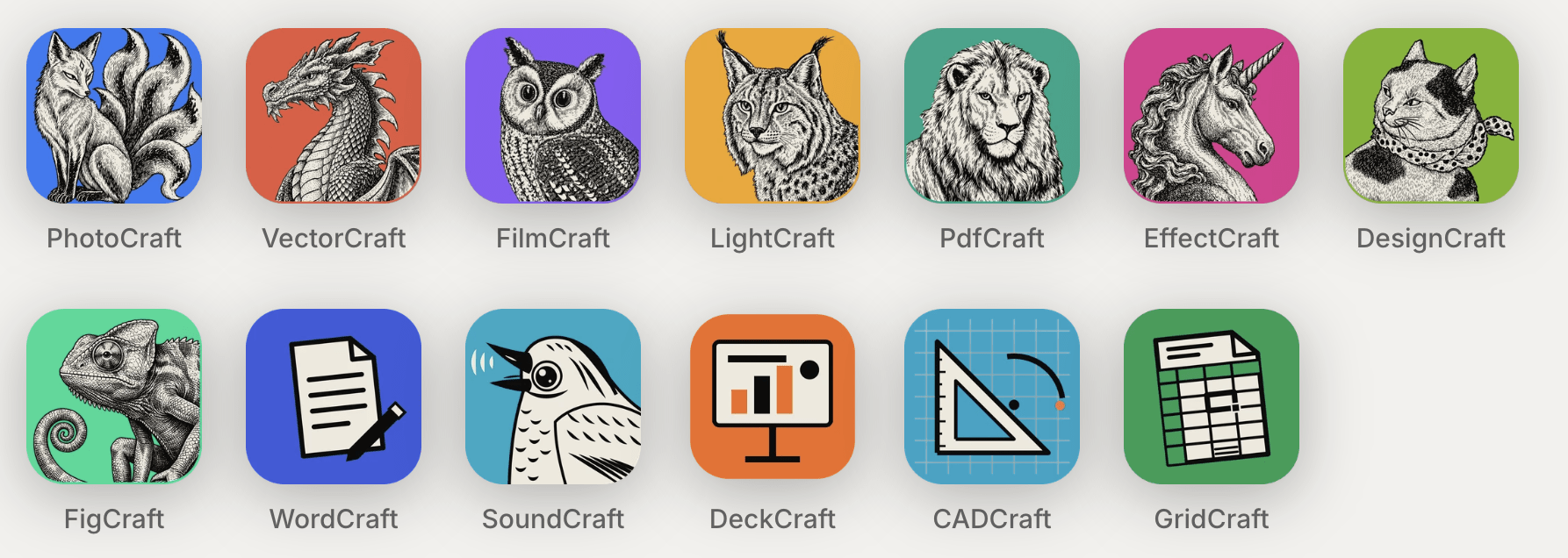
A single software engineer has ostensibly duplicated the most popular apps within the Adobe Creative Suite – from Photoshop and Lightroom to Premiere – using AI-assisted coding tools, and released the entire open-source package online for free. Beyond Adobe, Microsoft Office software is also being cloned.
This is part of a Reverse Engineer Anything (REA) movement that may have a big impact on both software, as well as software copyright in the years to come.
Subscription based models are a modern (and expensive) phenomenon
To understand why this controversial development became so popular across creative forums, one only needs to look at the ongoing costs of professional software.
Adobe would argue its higher prices compared to a few years ago reflects its added features, particularly the expansion and improvement of its generative AI tools. Yes, we do have better, if not incredible products, and the cost of AI implementation is apparently more expensive than it's let on to be – though subscription costs in some cases have more than doubled in price.
For Australian professionals, an individual All Apps subscription now sits at roughly $109 to $158 per month, depending on promotion cycles – totalling well over $1,100 to $1,319 per year. (A cheaper Creative Cloud Standard plan is $79.99 a month but comes with far fewer generative AI credits.)
The standard Photography Plan, which bundles Lightroom, Lightroom Classic and Photoshop, has become much more expensive for new subscribers. In early 2025 Adobe dropped the entry-level 20GB version, which cost about $172 a year. New users now pay about $372 a year for a plan that includes 1TB of storage.
The price rises have drawn complaints, but alternatives have generally covered only part of what Adobe offers. Free and low-cost programs such as Affinity, GIMP and Darktable have been around for years, but none have set out to so closely replicate the full suite and its interface.
Who created an Adobe-esque clone? Is this 'spite-ware'?
Brandon Thomas is an American software engineer with over 15 years experience and has a resume that includes time as an engineer at Square and as CEO of Storyteller.ai.
He says his decision to target the creative software giant was sparked by personal frustration. After getting hit by Adobe's hidden 'dark pattern' cancellation fees – the exact business practices that resulted in the company's $150 million US Department of Justice settlement in March 2026 – Thomas decided to build a viable alternative for users.
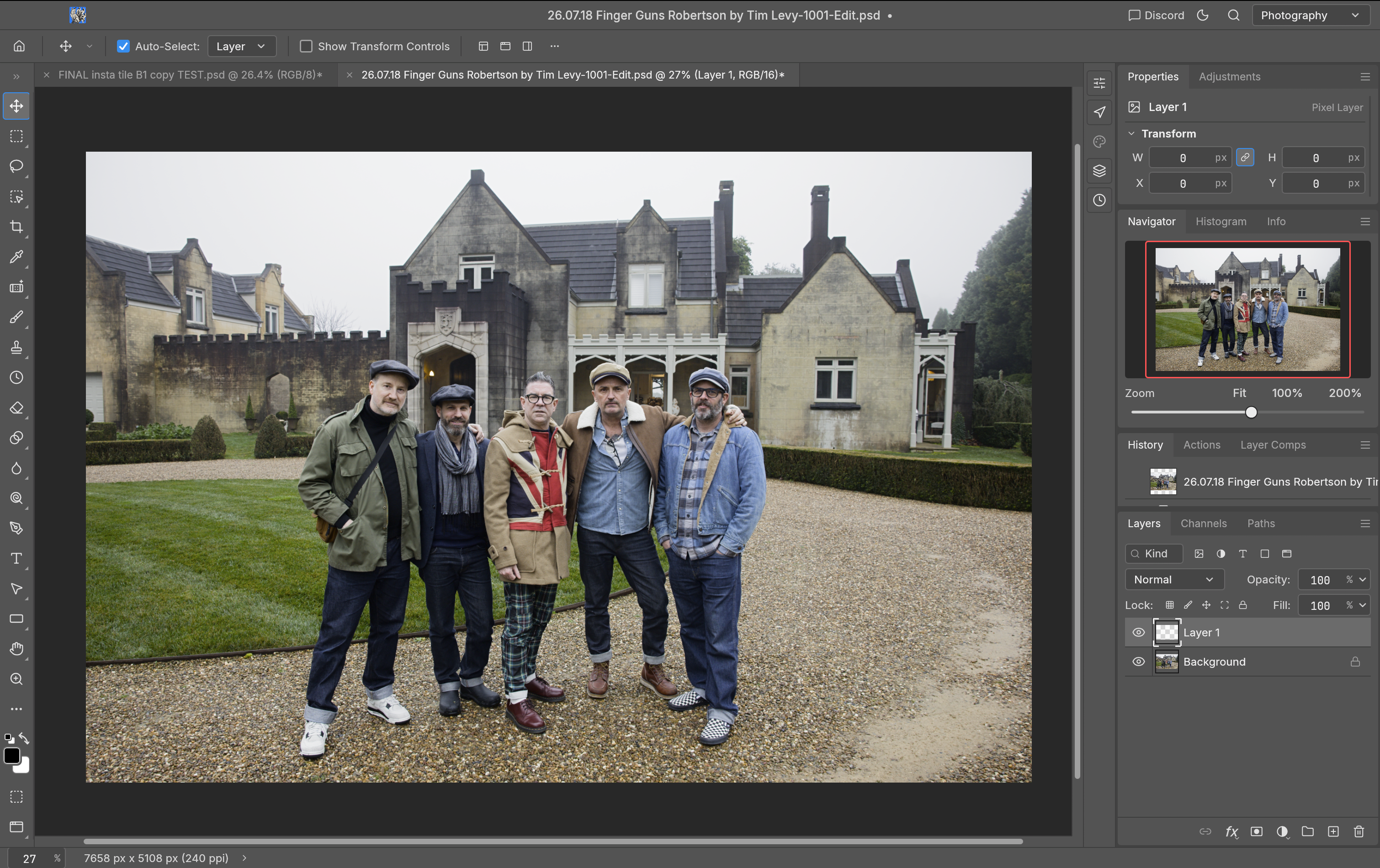
Photo: Tim Levy
How was it built?
Rather than decompiling or copying Adobe's existing software binaries, Thomas built the ArtCraft suite from the ground up using the aforementioned Reverse Engineer Anything technologies.
The system uses Anthropic's Claude Opus 5.5 and various AI coding agents to assist in writing completely original source code, opting to build the applications natively in the Rust programming language, which works on Mac, Windows and Linux.
By using AI to observe and replicate the behaviour, UI layouts, and functional logic of Adobe’s flagship software, Thomas engineered a suite of clean-room clones:
• PhotoCraft (similar to Photoshop)
• LightCraft (Lightroom)
• FilmCraft (Premiere Pro)
• VectorCraft (Illustrator)
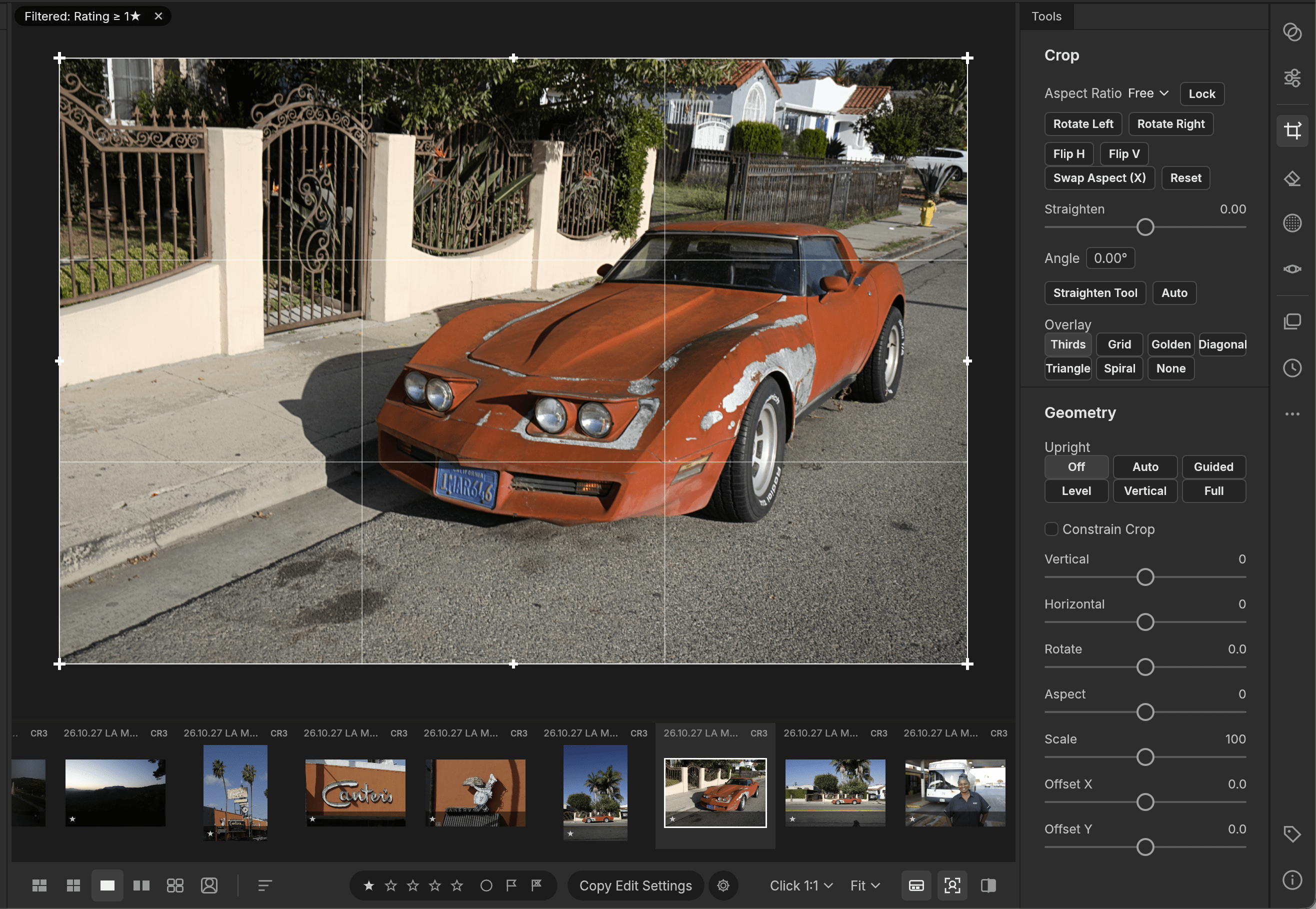
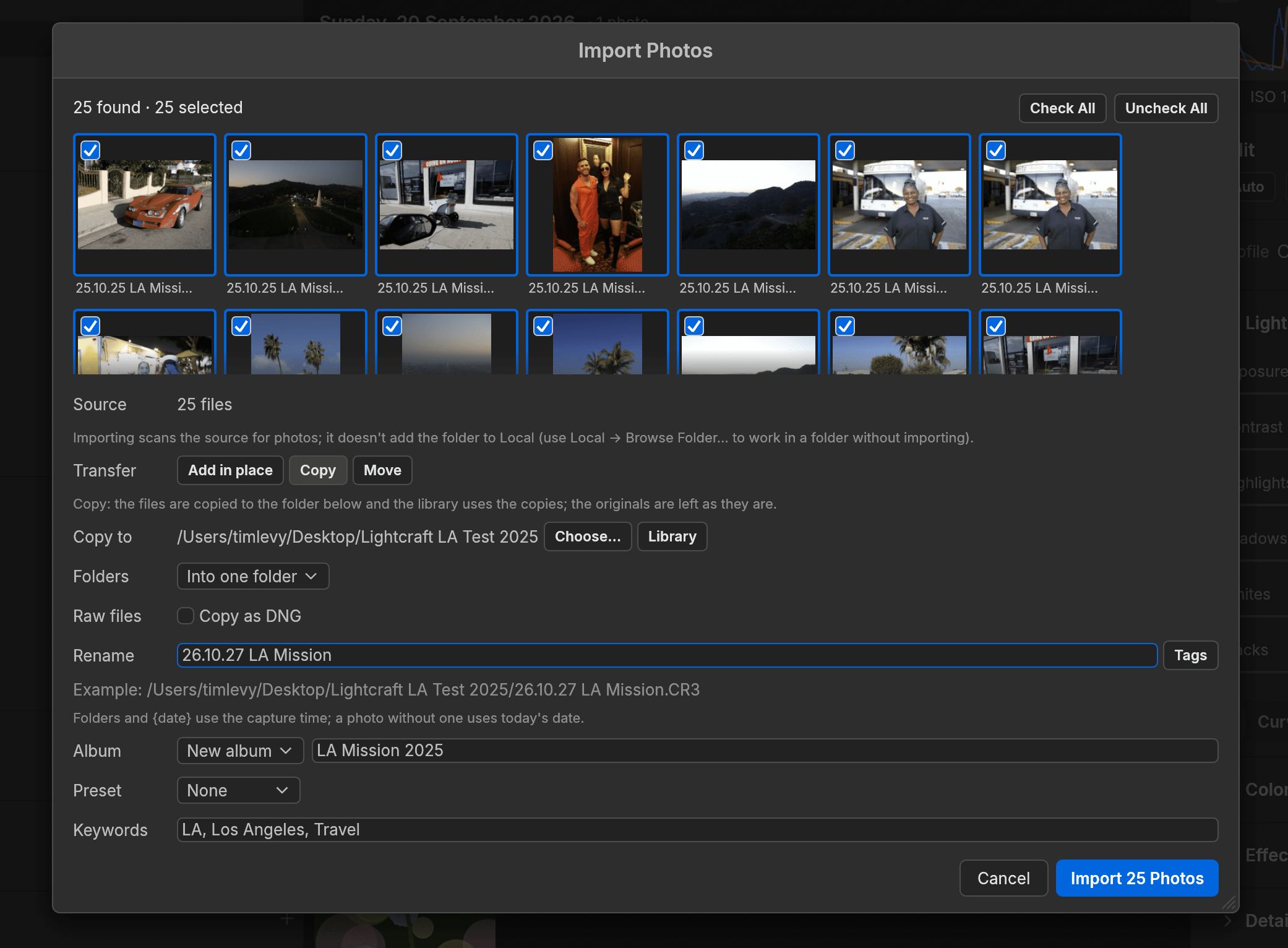
And on testing PhotoCraft and LightCraft, anyone familiar with Photoshop or Lightroom will find it remarkably easy to use this software.
Installing the apps
You can install the ArtCraft apps two ways.
1) ArtCraft Launcher. This installs PhotoCraft and every other Crafting App from one place, picks the right build for your computer and keeps them all up to date. Install it once and every update is a click away.
2) Standalone. These installers add PhotoCraft on its own, without the launcher. Come back here for new versions, or install the launcher later and it will find PhotoCraft and keep it updated.
For this trial, we chose Standalone.
How it runs (very efficiently)
Modern Photoshop and Lightroom have evolved into an operating system unto itself. Installing Creative Cloud loads gigabytes of background daemons, helper utilities, licensing monitors, fonts services, and cloud synchronisation engines.
Because ArtCraft’s clones are built from modern, unencumbered codebases without 35 years of accumulated legacy C++ technical debt – the installation is tiny. After downloading the software, installing it took around a minute.
To compare it another way, the Photoshop App on Mac is a hefty 6.43GB, while PhotoCraft is only 168MB.
As for launching LightCraft, it took approximately 1 second, while testing both Lightroom Classic and Lightroom took approximately 9 seconds on my top tier Mac. While this 8-second time saving is barely enough time to grind a coffee bean – it does show how efficient the software is.
Activity Monitor showdown
Loading the exact same file side-by-side on both Photoshop and PhotoCraft, macOS Activity Monitor reveals a stark contrast in resource management.
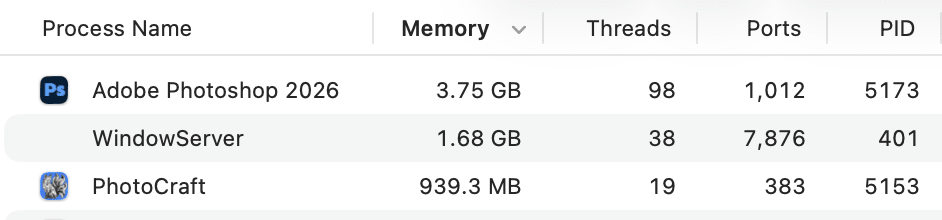
With the same multi-layered file open in both Photoshop and PhotoCraft, the Mac’s Activity Monitor shows how differently each app works behind the scenes. Adobe Photoshop 2026 operates like a heavy industrial engine, demanding 3.75GB of memory and 98 threads to maintain its ecosystem.
In contrast, PhotoCraft proves a masterclass in lean modern coding, rendering the identical image using just 939.3 MB of RAM across 19 threads.
This four-fold difference highlights the benefits of an optimised ground-up software build, without years of incremental code rewrites.
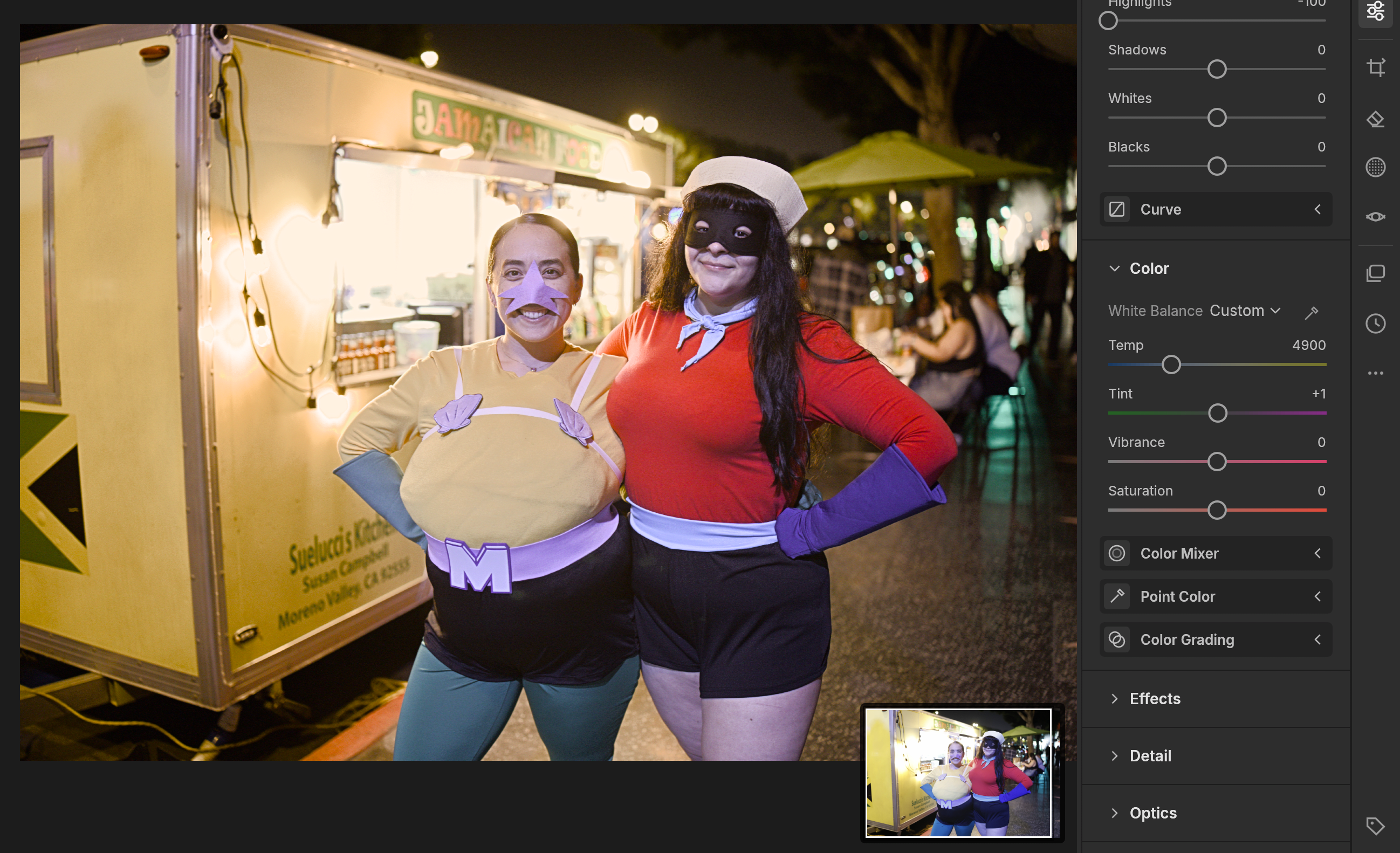
But speed and efficiency isn't what is going to make or break people using this software – reliability, logical UI and accuracy is what's needed. We found it particularly interesting that PhotoCraft opened a multi-layered Photoshop file perfectly, preserving the text layers and allowing us to seamlessly continue our work.
The reality check – the pros of using ArtCraft
• Speed and Portability: Highly optimised, self-contained binaries that run on macOS, Windows, and Linux without system-hogging background services.
• Zero Cost: Truly free, open-source software with no monthly debit hitting your bank account.
• Familiar Muscle Memory and UI logic: By mimicking Adobe’s keyboard shortcuts, workspace layout, and icon design, the barrier to entry is low. While most controls are completely familiar, some basic functionality is slightly different such as wanting to save a PSD as a JPG – in Photoshop you can 'Save As', while in PhotoCraft, you have to 'Export'.
• Updatable: ArtCraft Launcher is able to keep the software current. When a new version is out, update and restart downloads it, verifies it, puts it where this copy is installed and reopens it.
• While not exactly a 'Pro' as yet, apparently AI is to be integrated soon. At the time of writing, when trying to use AI features in LightCraft, we were met with a 'you need to install SAM... this build can't download the model yet' (SAM stands for Segment Anything Model). While the apps may remain free, you may have to purchase ArtCraft AI credits to unlock more powerful AI tools in the near future.
Why wouldn't you use this software?
These two software developers couldn't be more different. Adobe has been established since 1982, employs more than 30,000 people globally and has a gross profit of over US$20 billion last year VS ArtCraft who is a zero-budget single person who recently built the software using AI in reportedly under a week.

ArtCraft will probably find it hard to match thirty years of obsessive colour science, as well as the almost seamless integration of camera manufacturers lens corrections and other functionality such as tethering.
Also Adobe has the resources to integrate cloud computing directly into the software for AI integration, as well as host massive amounts of online storage.
But the real dilemma for working professionals is this: do you abandon a proven, reliable workflow for a new platform that is almost guaranteed to be buggy, or lack 'full' functionality? In business – time is money.
Proponents argue that an AI-driven tool can continuously debug and heal itself in real time. But for a commercial photographer or team with deadlines – trusting a self-repairing experiment is still a massive gamble.
For fine art printmakers, commercial photographers, and prepress editors, Adobe's core value isn't just drawing pixels – it is solid colour management that uses sophisticated ICC profile rendering that is a marriage between the computer, the OS system, the printer, the camera, the paper manufacturer and the post production software. All have to work synchronistically – or images on paper just look wrong.
As for RAW processing engines, a new tool like LightCraft will understandably struggle to replicate Adobe Camera Raw overnight.
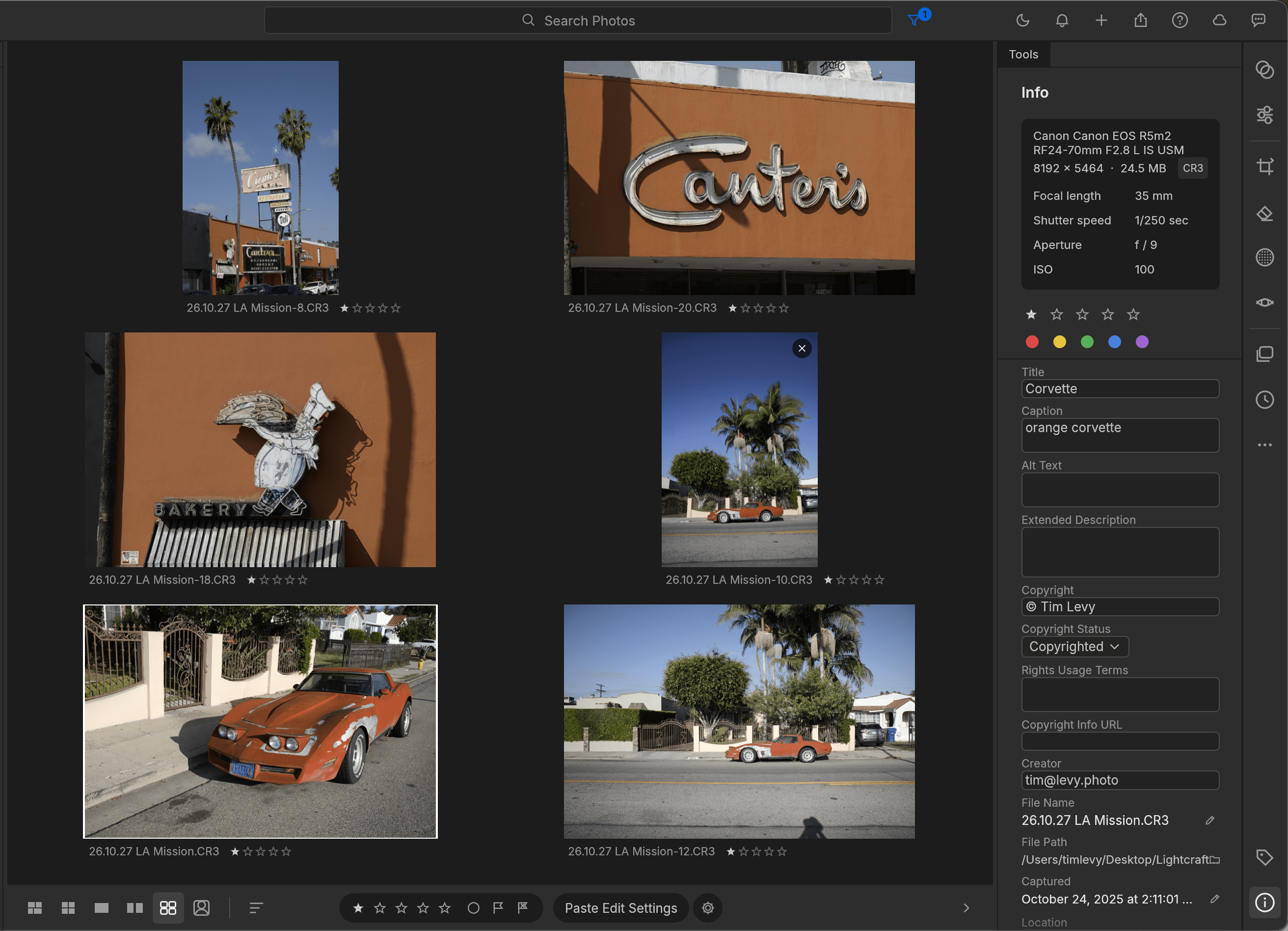
In our testing, LightCraft couldn't access the necessary profile data to apply lens corrections or fix optical aberrations on a fairly standard RAW file – something Lightroom handles automatically and with aplomb. Oddly, the lens details did appear in LightCraft's camera metadata panel – the software simply couldn't translate that data into an actual image correction.
This disconnect highlights the sheer complexity of what Adobe has built into their system. Adobe Camera Raw's demosaicing algorithms, lens correction profiles, custom camera colour science, and sensor-specific noise profiles aren't just basic code. They are the result of years of bespoke optical engineering and a deep, ongoing marriage between camera manufacturers and software teams.
The main cons
While ArtCraft was built with generative AI, it lacks Adobe’s tightly integrated server-side generative features – such as Firefly-powered Generative Fill or deep neural filters – which have become indispensable time-savers in high-turnaround production environments.

Another glaring omission in LightCraft is the inability to save individual images or entire albums to the cloud – a feature Adobe Lightroom handles seamlessly.
While Lightroom Classic remains tethered to local storage, the cloud-native version of Lightroom excels at backing up, sharing, and syncing files across laptops and mobile devices. It is a connected workflow that holds particular appeal for emerging photographers.
The legal tightrope: clean room or copyright infringement?
Is what Thomas did legal? The answer will likely keep intellectual property attorneys busy for years.
In software copyright law, functional replication – commonly known as 'clean-room design' – has a well-established legal precedent. You cannot copyright a concept or utility – if software accomplishes the same task (such as contrast control) using original, independently written code, it generally does not infringe on the competitor's software copyright.

However, Adobe’s corporate defence does not rely on software copyright alone.
Patents: Adobe holds thousands of algorithmic and interface utility patents covering specific rendering pipelines, brush dynamics, and data compression structures. If an LLM generated code that mirrors patented technical methods, ArtCraft is liable.
Trade Dress & UI Copyright: While functions are fair game, visual presentation is not. ArtCraft’s deliberate imitation of Adobe’s UI iconography, panel geometry, workspace layout, and naming conventions skates dangerously close to trade-dress infringement and trademark confusion.
Terms of Service Violations: Investigating whether Thomas violated his own Adobe Creative Cloud subscriber agreement to study their software.
Adobe is remaining tight-lipped about the case, though a barrage of cease-and-desist letters and takedown notices from Adobe’s legal arm is almost certainly on the horizon.
Will it survive?
This is the fatal flaw facing community-driven clones. When a commercial entity releases software, updates are sustained by paying customers and payroll-backed engineering teams.
ArtCraft, on the other hand, is an open-source project driven by a solo developer experimenting with AI code generation.
Historically, independent Adobe alternatives (like GIMP, Photopea, or Darktable) struggle with the brutal, unglamorous reality of long-term software maintenance such as: patching breaking operating system updates (like annual macOS releases); continuously adding support for newly released mirrorless camera RAW formats; and fixing esoteric RAM 'memory leaks' which can crash your computer.
If Thomas moves on to other projects, faces an injunction, or the open-source community fails to rally a fleet of maintainers, ArtCraft could quickly become abandonware. Or will it become popular enough for it to become a regular and profitable 'job' for Brandon Thomas and his team?
The big picture for photographers
ArtCraft is unlikely to displace Adobe Creative Cloud in professional photographers and commercial studios anytime soon. The lack of enterprise cloud infrastructure; seamless AI tool integration; client-standard file compliance, and certified print colour accuracy makes it an impossible drop-in replacement for mission-critical work.
Yet, dismissing it as a novelty misses the seismic shift this could represent.
The fact that an individual developer can use off-the-shelf AI to reconstruct 80 per cent of a multi-billion-dollar software empire's core tooling in a week proves that complex software systems are no longer an insurmountable mountain to climb.
If nothing else, the rapid popularity of the ArtCraft experiment sends a clear message to Adobe. The creative industry is feeling the squeeze from inflation, a broader cost of living crisis, and the very real threat of AI encroaching on jobs. With professionals actively looking to save money wherever they can, the market is open to more affordable software.
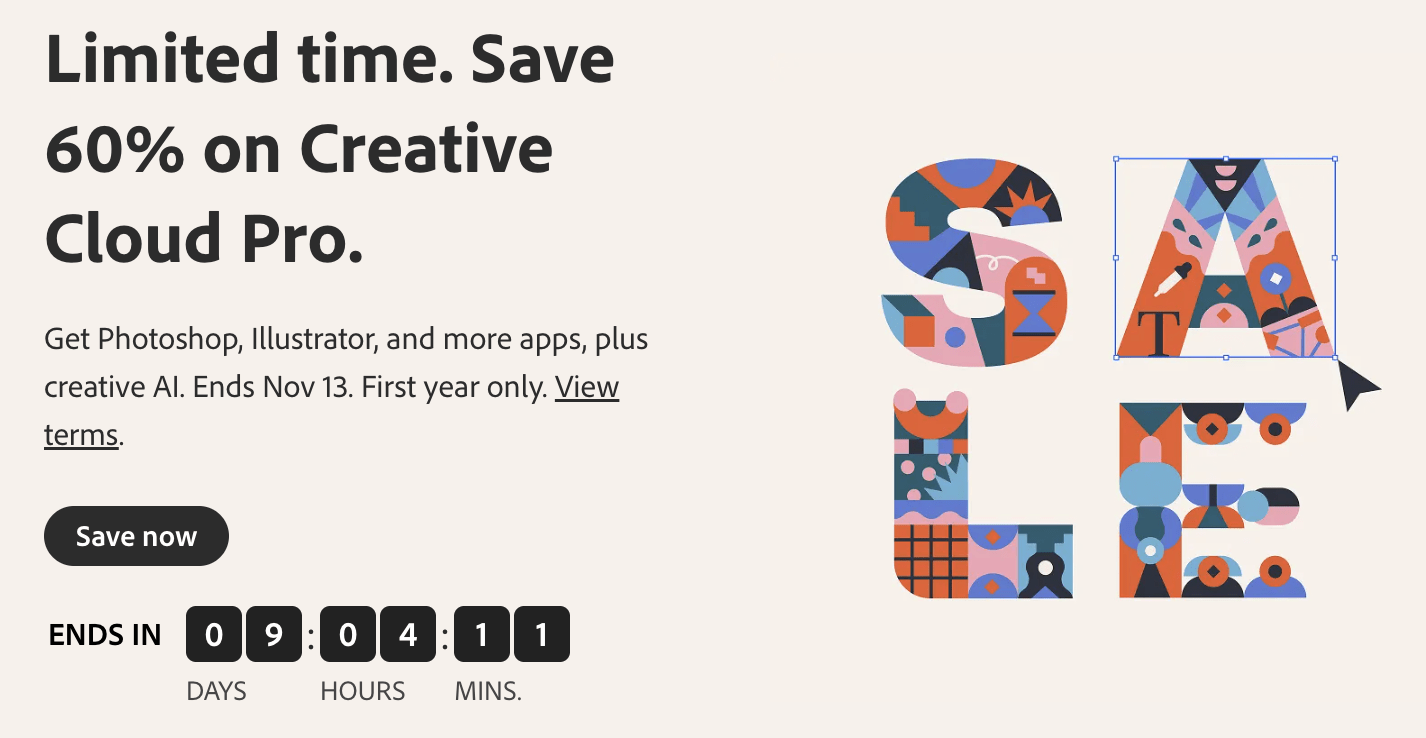
And let's not forget beginner and emerging amateur photographers, who are far more likely to seek out free or low-cost software given the chance. On the surface, Adobe isn't panicking as yet, but they have recently announced major discounts on their Creative Cloud package.
For now, whether the ArtCraft suite lasts long-term remains to be seen. It is a highly promising experiment rather than a reliable replacement for high-stakes commercial work, yet its rapid rise shows just how hungry the market is for cheaper, or even subscription-free alternatives.
There’s sure to be plenty more to play out and it will be interesting to see what happens in the weeks ahead.
You can see the Adobe Photography Suite here.
You can see ArtCraft's suite here on GitHub.